
Choosing the Right Self-Service Kiosk POS System (7 Things to Look For)
Self-service kiosks are now a standard part of the 2026 restaurant stack. Here are the 7 things to look for when choosing the right kiosk POS system for your restaurant — from cloud menu sync to payment processing to security.

Self-ordering kiosks have moved from a novelty to a standard part of the 2026 restaurant stack. Operators are adding them to ease labor pressure at the counter, keep lines moving during the rush, and lift average order value through consistent, suggestive upselling. But not every kiosk system is built the same, and the wrong choice can lock you into hardware, a processor, or a POS you will later regret. Before you sign anything, use this checklist of seven things to look for in a self-service kiosk to take orders.
1. Cloud based
Cloud-based POS systems are the standard in foodservice today, and for good reason. With a cloud-based setup, owners can monitor sales remotely, track inventory, and review customer activity from a phone or laptop without being on site.
A cloud-based system gives you the flexibility to multitask and handle other issues while still checking the health of your operation in real time. The best systems go further by integrating 3rd-party apps, letting you shape the tool around your specific restaurant or even a single location.
What to ask a vendor: Is the software truly cloud-native, or a legacy on-premise product with a web portal bolted on? How quickly do menu and price changes sync to the kiosk, and do they push instantly across every location? One final rule of thumb for cloud-based kiosk systems: make sure your restaurant has a fast, reliable internet connection so the system stays quick, keeps lines moving, and has a graceful offline mode if the connection drops.
2. Human support
A common misconception about self-service kiosks is that they eliminate the need for human labor. This is completely false. Order-taking duties shift to a machine, but human support is still needed for on-site troubleshooting and for assisting both customers and staff. Just as importantly, those freed-up team members can be redirected to customer service, hygiene, running orders, and operations — the things that actually build repeat visits.
What to ask a vendor: What support hours do you offer, and can I reach a real person during my dinner rush? Is onboarding and staff training included? How are software updates and bug fixes handled, and do they cost extra?
3. Dynamic menu and upsell
McDonald’s data shows that customers are likely to spend up to 20% more when they order from a kiosk, and broader industry studies put the average-order-value lift anywhere from 20–30%. That is a real upsell opportunity — but only if the menu can work for you. Just like a waiter reads the day’s specials to diners, a good kiosk can display and prioritize your most popular items, higher-margin dishes, or impulse add-ons like desserts and extra servings.
What to ask a vendor: Can I control the upsell and merchandising rules myself, or does every change require a support ticket? Can it surface combos, modifiers, and add-ons at the right moment in the order? Can I also display nutrition facts, allergens, or limited-time offers? If the kiosk cannot merchandise the menu, you are leaving money on the table.
4. Ease of use
The whole point of a self-service kiosk is to enhance the customer experience with a modern ordering flow that reduces time waiting in line. If it is confusing, guests abandon the order and walk to the counter anyway, which defeats the purpose. A kiosk should never be one-size-fits-all. When you demo a product, make sure its flow fits your concept: if you run a QSR, the kiosk should not cater to full-service dining, and if you run a coffee shop, it should not be better suited for a pizzeria.
What to ask a vendor: How many taps does an average order take? Is the interface large-type and accessible for every guest? Can I reorder categories and feature items without a developer? Watch a real guest use it cold — if they hesitate, so will yours.
5. Payment processing
Not all restaurant kiosks come with payment processing capabilities; some only provide you with the hardware. Beyond a card reader and receipt printer, make sure the kiosk can connect to a real payment processor and accept the methods your guests actually use — chip, tap, and mobile wallets like Apple Pay and Google Pay.
What to ask a vendor: Am I locked into one processor, or can I keep the one I already use? What is the effective processing rate, and are there hidden per-transaction or gateway fees? Can I run kiosk, counter, and online orders through one reconciled system so my reporting is not fragmented?
6. Easy implementation
Self-service kiosk systems are still relatively new in the restaurant world, so putting one together yourself can seem daunting at first. When purchasing, clarify the company’s service model up front. Will they send someone to install it, and what does post-purchase support actually include? Some companies ship you the kiosk to install yourself, so make sure that is genuinely easy and not too time-consuming.
What to ask a vendor: Does the kiosk come with a card reader and receipt printer, or are those add-ons? Is it compatible with a wide range of peripherals if I want to expand later? And — maybe most important — do I have to rip out my current POS to use it, or does the kiosk run on top of what I already have?
7. Security
Finally, how secure is the information exchanged on the kiosk? Is payment data protected end to end, and is the payment processing Payment Card Industry (PCI) certified? Ask how card data is tokenized and encrypted, how the device is locked down so guests cannot exit the ordering app, and how the vendor handles security patches. These questions matter as much as price when you are trusting a machine with your guests’ payment details.
Where INFI fits: kiosk software on top of your POS
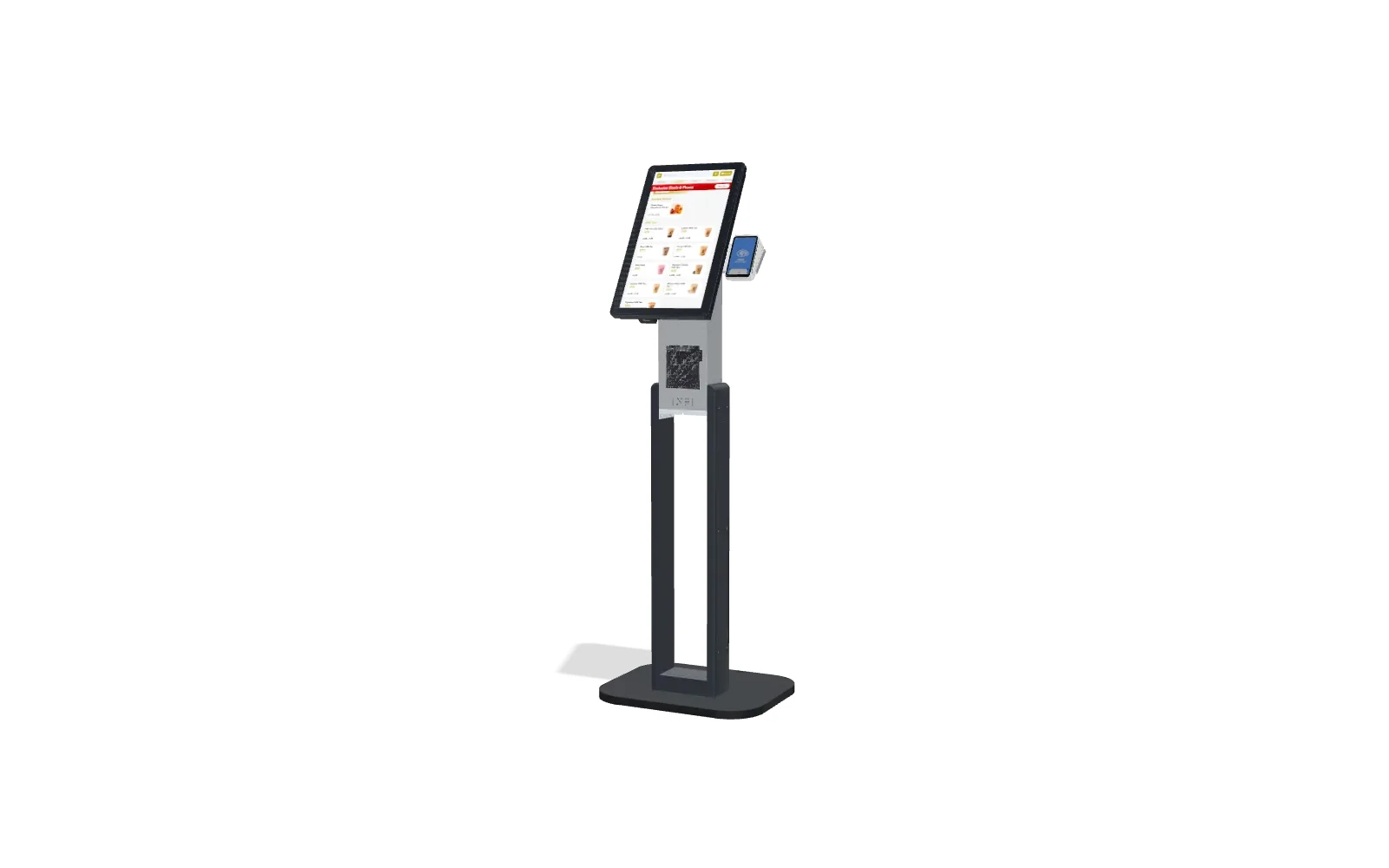
Most of the friction in buying a kiosk comes from one assumption — that you have to replace your POS to get one. You do not. INFI is a restaurant growth platform, and its self-ordering kiosk is software that runs on top of the POS you already use — Square, Toast, Clover, Lightspeed, or HungerRush. Your menu, pricing, and reporting stay in the system your team already knows, and the kiosk simply becomes another ordering channel that writes back to it.
That “on top of, not instead of” approach makes the checklist above much easier to satisfy: you keep your processor, you keep your POS, and you add kiosk ordering with built-in, consistent upselling. Across INFI’s own merchants, self-ordering kiosks lift average order value by 15–30%, and INFI’s AI-driven upsell has moved the attach rate from 7.18% to 8.62% across 78+ merchants — gains that come from suggesting the right add-on every single time, without a rushed cashier forgetting to ask.
If you are weighing options, the fastest way to see the difference is to book a demo and run your own menu through it, or read our companion piece on the questions to ask a kiosk vendor before you sign.
Want to know more about the benefits of QSR kiosks? Check out our article QSR Kiosks: The Future of Ordering.
See what INFI can do for your restaurant
Add self-ordering, online ordering, loyalty, and marketing on top of the POS you already run.
Book a Demo