
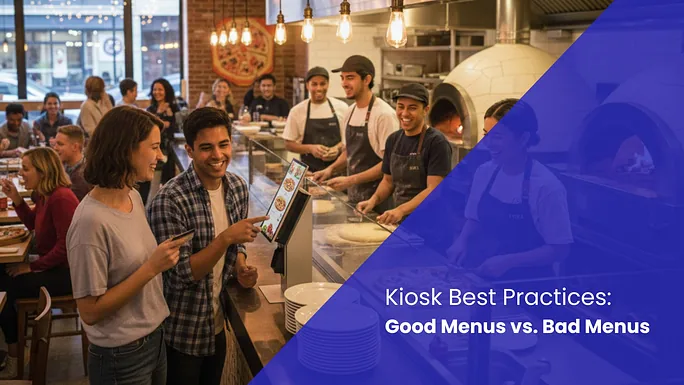
Self-Service Kiosk Best Practices: Good Menus vs. Bad Menus
The first mistake people make when setting up their kiosk?
The first mistake people make when setting up their kiosk?
Thinking they’ll just turn a paper menu into a digital version.
Your kiosk is an automated salesperson that needs to be onboarded properly. If you take the time to do it right, you’ll soon find that your new INFI kiosk is outselling even your best salesperson.
Your self-serve kiosk never forgets to ask for the upsell and never has a bad day. Most restaurant operators leave money on the table because they treat their digital menu as a static list of items rather than a strategic growth tool.
High-quality menu engineering on INFI kiosks increases average check sizes by as much as 45%. When a guest can see exactly what they are buying, they spend more. When they don’t feel judged? They spend more. When they hit an enticing combo recommendation? They spend more.
This is the difference between a transaction and a transformation for your bottom line. So let’s look at self-service kiosks best practices, and the real difference between good and bad menus.
The Good Menu Checklist
1. Great photos are a must
High-resolution photos are mandatory for every item and modifier because visuals are the primary driver for 20% of add-on drink and side sales. A one-time investment in the visuals will drive sales all year long.
2. Don’t tell, sell
You’re not just describing, you’re enticing. Marketing-minded descriptions move beyond ingredient lists to use enticing language.
3. Headlines need to be clear, not clever
Clear and bold titles ensure customers can identify the product instantly without squinting or second-guessing their choice.
4. Focus on high-margin upsells
Top-tier upsells must be identified from your highest-margin items and prompted during the checkout flow to ensure consistent growth.
5. Be transparent with nutrition and allergens
Nutritional transparency, including calorie counts and allergen tags, removes ordering friction for health-conscious guests.
The Bad Menu Checklist
1. Images are missing
Missing images cause customers to skip items entirely because they naturally gravitate toward what they can see on the screen.
2. Stock images create confusion and distrust
Generic or stock photography creates distrust when the physical product arrives and looks different from the image provided.
3. Image styles vary, creating an unprofessional feel
Inconsistent image styles like mixing professional food shots with low-quality photos look unprofessional and confuse the buyer.
4. Redundant photos
Duplicate photos for different items cause ordering errors and lead to unnecessary frustration for your staff and guests.
5. Headlines only
Headline-only listings lead to decision paralysis because customers do not know what is included in a house special dish.
The INFI Difference
At INFI, we do not just sell you software and walk away. We provide guided growth through proven playbooks that help you optimize your menu for maximum revenue. We know the difference between a menu that simply displays and one that converts. Our team works with you to implement these best practices from day one.
Stop letting poor menu design limit your growth potential. Visit the INFI Self-Ordering Kiosk page at our website to see how our intelligent system can transform your restaurant operations. Start building a menu that works as hard as you do.
See what INFI can do for your restaurant
Add self-ordering, online ordering, loyalty, and marketing on top of the POS you already run.
Book a Demo