
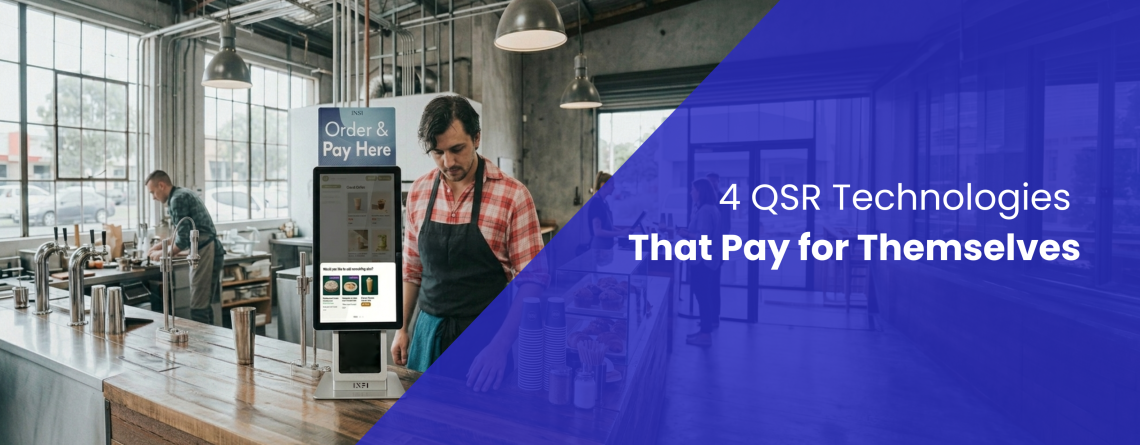

The Quick Service Restaurant technologies that consistently pay for themselves are self-ordering kiosks, AI-driven upselling, integrated POS Kitchen Display Systems, and multi-channel ordering. These tools increase average check size, reduce labor strain, minimize costly errors, and protect margins from third-party platform fees, often generating ROI within 3 to 6 months. For most operators, they’re beyond helpful. They become essential to protecting margins.
Running a restaurant in 2026 is a margin game. Labor costs keep climbing. Food prices won’t settle. And the old playbook of opening more locations feels riskier than it used to.
Many operators are working harder just to maintain the same margins.
Growth doesn’t always require doing more. Sometimes you need to extract more value from what you already have: your team, menu, and every guest who walks through your door.
That’s where the right QSR technologies come in. Not the flashy ones or the ones with the best pitch decks. The ones that actually move your numbers.
Across thousands of INFI customers, four solutions consistently stand out by supporting operations and generating revenue.
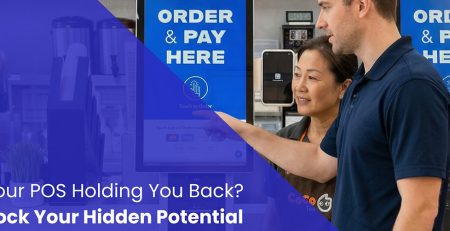
Kiosks are often framed as a labor solution. And yes, they help but they actually pay for themselves because they increase revenue on every order.
Unlike a busy cashier during a lunch rush, a kiosk never skips the upsell. It consistently suggests combos, add-ons, and upgrades without slowing down the line or creating awkward interactions.
Why It Works
Customers behave differently when ordering on a screen.
They take their time. They explore more options. They’re more likely to say yes to upgrades.
That leads to one thing: higher average tickets.
The ROI Math
Let’s keep it simple.
Even at the low end, that’s thousands in additional monthly revenue.
Most commercial-grade kiosks can be financed at a fraction of that gain, meaning many operators see full payback in 3 to 6 months.
Labor Reallocation
Remember: Kiosks don’t completely eliminate staff but they can redeploy them.
Instead of standing at the counter taking orders, your team can focus on:
That’s how you increase throughput without increasing headcount.
What to Look For
Read more: Kiosk menu optimization
Common Pitfall
Choosing a system that doesn’t integrate well with your POS and creating more manual work instead of less.
Upselling has always been part of the business, but many restaurants do it inconsistently or poorly.
AI changes the game. Instead of generic prompts, AI uses logic to suggest what actually makes sense based on what’s already in the cart.
Why It Works
It’s not intrusive selling. It feels like helping the customer complete their order.
If someone orders a sandwich and a drink, suggesting a side to turn it into a combo feels natural. Suggesting something random doesn’t.
That difference is everything.
The ROI Math
AI upselling has increased average order value by up to 45% for some INFI clients, while most see an average of a 25% lift.
On even moderate volume, that quickly translates into meaningful revenue, especially since add-ons tend to carry high margins.
Payback Period
Because AI upselling is software-driven, the cost is relatively low compared to the upside. Most operators see positive ROI almost immediately after implementation.
What to Look For
Read more: How AI upselling works
Common Pitfall
Overloading the guest with too many prompts and complicating the interface creates friction instead of conversion.
If your systems don’t talk to each other, you’re losing money.
Manual entry between online orders, kiosks, and the kitchen creates delays, mistakes, and unnecessary waste.
An integrated POS and Kitchen Display System (KDS) eliminates that gap.
Why It Works
Orders flow instantly from the guest to the kitchen. No re-entry, confusion or missed modifiers. Just faster, more accurate execution.
The ROI Math
The real value here comes from preventing costly mistakes before they happen.
Even eliminating 5 incorrect orders per day can add up to thousands saved monthly (that can cover the cost of the entire system).
Payback Period
Most operators see ROI within months from reduced errors and increased throughput during peak hours.
What to Look For
Read more: Choosing the right POS
Common Pitfall
Implementing a Kitchen Display System without proper staff training or adjusting kitchen workflows to keep pace with the speed of the technology.
Your dining room has a finite number of seats. Your online and mobile channels do not.
Third party delivery platforms charge 15% to 30% per order. On a $20 ticket, that is up to $6 per transaction going to a platform that also lists your competitors two clicks away. A direct restaurant online ordering system stops that bleed and puts the guest relationship back in your hands.
Why It Works
Every order placed through a third-party platform is a missed opportunity, not just on margin, but on data. A dedicated online ordering app for restaurants lets you capture contact information, order history, and purchasing behavior, the foundation for loyalty programs and repeat visit campaigns. With third-party platforms, that data stays theirs, not yours.
The ROI Math
The math works in two directions. Shifting even 20% of your third party volume to a direct online ordering for restaurants produces meaningful margin recovery within the first few months. And because direct orders carry no platform fee, every dollar recaptured goes straight to the bottom line.
Payback Period
Because multi-channel ordering is largely software-based, most operators see positive ROI within the first few months simply from fee recovery alone.
What to Look For
Common Pitfall
Running your online menu as a separate system from your in-house menu. If a price or item changes and the update doesn’t carry across all channels automatically, you’ll generate errors, refunds, and frustrated guests.
Read more: Create online ordering for your restaurant
You don’t need to overhaul your entire operation overnight. Start with what’s holding you back right now. To solve for:
The goal is to build a system where every order becomes more valuable and easier for your team to execute.
The best QSR technologies help you operate and help you grow. They turn every order into a higher value transaction. They reduce the stress on your team. They protect your margins in a way manual processes simply can’t.
That’s what it means for technology to pay for itself.
At INFI, we provide the tools and we help you understand where your growth will come from and how to capture it.
Book a demo or try our kiosk ROI calculator to see how quickly your investment pays off.
What is the most important technology in a QSR?
A unified ordering platform that connects kiosks and your POS is often considered the most critical. It serves as the brain of the restaurant by capturing data, processing payments, and ensuring the kitchen stays synchronized with guest demands.
Do self service kiosks actually increase sales?
Yes. Data shows that kiosks increase average check sizes by 25 to 30%. This happens because customers feel less rushed, have time to view high quality photos of the food, and are more likely to accept automated visual upsell prompts than verbal ones from staff.
How much does a QSR kiosk cost?
Costs vary based by model. INFI offers options ranging from compact tablets to full size 21.5 inch floor standing models with software on a monthly subscription covering maintenance, updates, and ongoing support.
Will technology replace my restaurant staff?
It can lighten dependence on personnel, but kiosks also help repurpose your team. By automating the data entry of order taking, your team can focus on improving food quality, increasing the speed of service, and providing better face to face customer interactions. It allows you to handle more transactions with the same number of employees.
How hard is it to integrate new technologies with my current POS?
Integration difficulty depends on the provider. INFI is designed to sync directly with major POS systems, allowing for easy menu imports and real time inventory updates. Our guided implementation process ensures that your modifiers and pricing remain consistent across all channels.
INFI
We firmly believe that the internet should be available and accessible to anyone, and are committed to providing a website that is accessible to the widest possible audience, regardless of circumstance and ability.
To fulfill this, we aim to adhere as strictly as possible to the World Wide Web Consortium’s (W3C) Web Content Accessibility Guidelines 2.1 (WCAG 2.1) at the AA level. These guidelines explain how to make web content accessible to people with a wide array of disabilities. Complying with those guidelines helps us ensure that the website is accessible to all people: blind people, people with motor impairments, visual impairment, cognitive disabilities, and more.
This website utilizes various technologies that are meant to make it as accessible as possible at all times. We utilize an accessibility interface that allows persons with specific disabilities to adjust the website’s UI (user interface) and design it to their personal needs.
Additionally, the website utilizes an AI-based application that runs in the background and optimizes its accessibility level constantly. This application remediates the website’s HTML, adapts Its functionality and behavior for screen-readers used by the blind users, and for keyboard functions used by individuals with motor impairments.
If you’ve found a malfunction or have ideas for improvement, we’ll be happy to hear from you. You can reach out to the website’s operators by using the following email Marketing@INFI.us
Our website implements the ARIA attributes (Accessible Rich Internet Applications) technique, alongside various different behavioral changes, to ensure blind users visiting with screen-readers are able to read, comprehend, and enjoy the website’s functions. As soon as a user with a screen-reader enters your site, they immediately receive a prompt to enter the Screen-Reader Profile so they can browse and operate your site effectively. Here’s how our website covers some of the most important screen-reader requirements, alongside console screenshots of code examples:
Screen-reader optimization: we run a background process that learns the website’s components from top to bottom, to ensure ongoing compliance even when updating the website. In this process, we provide screen-readers with meaningful data using the ARIA set of attributes. For example, we provide accurate form labels; descriptions for actionable icons (social media icons, search icons, cart icons, etc.); validation guidance for form inputs; element roles such as buttons, menus, modal dialogues (popups), and others. Additionally, the background process scans all the website’s images and provides an accurate and meaningful image-object-recognition-based description as an ALT (alternate text) tag for images that are not described. It will also extract texts that are embedded within the image, using an OCR (optical character recognition) technology. To turn on screen-reader adjustments at any time, users need only to press the Alt+1 keyboard combination. Screen-reader users also get automatic announcements to turn the Screen-reader mode on as soon as they enter the website.
These adjustments are compatible with all popular screen readers, including JAWS and NVDA.
Keyboard navigation optimization: The background process also adjusts the website’s HTML, and adds various behaviors using JavaScript code to make the website operable by the keyboard. This includes the ability to navigate the website using the Tab and Shift+Tab keys, operate dropdowns with the arrow keys, close them with Esc, trigger buttons and links using the Enter key, navigate between radio and checkbox elements using the arrow keys, and fill them in with the Spacebar or Enter key.Additionally, keyboard users will find quick-navigation and content-skip menus, available at any time by clicking Alt+1, or as the first elements of the site while navigating with the keyboard. The background process also handles triggered popups by moving the keyboard focus towards them as soon as they appear, and not allow the focus drift outside it.
Users can also use shortcuts such as “M” (menus), “H” (headings), “F” (forms), “B” (buttons), and “G” (graphics) to jump to specific elements.
We aim to support the widest array of browsers and assistive technologies as possible, so our users can choose the best fitting tools for them, with as few limitations as possible. Therefore, we have worked very hard to be able to support all major systems that comprise over 95% of the user market share including Google Chrome, Mozilla Firefox, Apple Safari, Opera and Microsoft Edge, JAWS and NVDA (screen readers).
Despite our very best efforts to allow anybody to adjust the website to their needs. There may still be pages or sections that are not fully accessible, are in the process of becoming accessible, or are lacking an adequate technological solution to make them accessible. Still, we are continually improving our accessibility, adding, updating and improving its options and features, and developing and adopting new technologies. All this is meant to reach the optimal level of accessibility, following technological advancements. For any assistance, please reach out to Marketing@INFI.us
If you're unsure, please reach out to support@infi.us.

