
How To Set Up an Online Ordering System (2026 Guide)
A step-by-step 2026 guide to setting up a restaurant online ordering system — choosing a platform, integrating your POS, launching — and keeping 100% of every order.
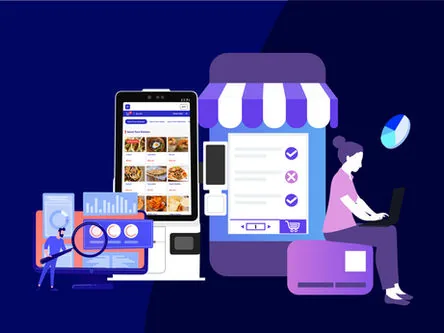
Online ordering is no longer a nice-to-have — it is where a growing share of restaurant revenue now lives. The U.S. online food-ordering market is estimated at roughly $35 billion in 2025 and climbing, and the overwhelming majority of it happens on a phone. If guests cannot order from you directly, in a few taps, they will order from someone else — or pay a marketplace 20–30% to do it for you.
Looking for the system itself, not the setup guide? See INFI’s commission-free online ordering — it runs on the POS you already have and takes 0% commission on every order.
Own your online ordering. A direct channel on your own site keeps the guest data, the margin and the relationship with you — instead of renting all three from a third-party app.
5 steps to set up an online ordering system
Step 1: Define what “done” looks like
Start with the outcome, not the software. Are you trying to cut third-party commissions, win back pickup orders, serve regulars faster, or all three? Your objective decides which features actually matter — and keeps you from paying for ones you will never use. Write down the one number you most want to move (direct orders per week, say, or commission dollars saved) and judge every option against it.
Step 2: Decide your must-have features and budget
Costs vary widely, from a few hundred dollars a month to five-figure custom builds — some bespoke marketplaces run past $20,000. Before you shop, separate the essentials from the extras. For most restaurants the non-negotiables are:
- A clean ordering flow a guest can finish in a few taps, designed mobile-first because that is where almost all orders start.
- Payments — card, mobile wallet and gift card — handled securely at checkout.
- A searchable, live menu synced from your POS so prices, modifiers and sold-out items are always right.
- An admin view with orders, reporting, and customer data you actually own — not data the vendor keeps.
- Order status the guest can follow, so they know exactly when to come for pickup (and can track the driver if you deliver).
Because the real cost is commissions, not setup, it is worth reading what commission-free online ordering really costs in 2026 before you commit to anything.
Step 3: Choose your approach
There are three common paths — and they are not equal:
- Fast to start, huge built-in audience
- 20–30% commission on every order
- They own the guest, the data and the relationship
- Runs on the POS you already have
- 0% commission — you keep the margin
- You own the guest data and can market to them
A third option — bolting a generic ordering plugin onto your site — can work, but you still want it integrated with your POS so orders do not have to be re-keyed by hand. The marketplaces are a fine supplement for discovery; just do not let them become your only channel, because every order through them is margin you never see again.
Step 4: Add the features that actually move orders
Once the basics work, the extras that earn their keep are the ones guests feel. A branded experience that looks like you — not a marketplace — builds trust. A loyalty program that rewards direct orders pulls regulars off the apps. Promotions and featured items at the top of the menu lift the average check. And if you take walk-ins too, self-ordering kiosks capture the same guest data and order-value lift from in-store traffic, all feeding one system. Pick the one or two features that serve your Step 1 goal and skip the rest for now.
Step 5: Launch deliberately
Train your team first — every order should flow cleanly to your kitchen display before you tell a single guest. Then promote the new channel where your regulars already are: your Google Business Profile, your receipts and table tents, your social accounts, and a quick SMS or email blast. Give first-time direct orderers a small incentive to switch off the apps. The channel compounds — the more guests you move to direct, the more margin and data you keep for good.
How an online ordering system works
Under the hood it is straightforward:
- The guest opens your site or app and sees your live menu, with your promotions and loyalty front and center.
- They build their order at their own pace — no line, no pressure, every modifier visible.
- They pay by card, mobile wallet or gift card (or choose pay-at-pickup, if you allow it).
- The order drops into your POS and prints or displays in the kitchen in real time, exactly like a counter order.
- You finish it and hand it off for pickup or delivery — the guest’s wait is minimal because you started the moment they paid.
Done right, the guest never waits on hold and your staff never re-type a ticket.
Why it is worth the effort
You uncover who your customers really are
Every direct order builds a record you own: who orders, how often, and what they buy. That tells you which items to promote, when your rushes hit, and which regulars are worth a win-back offer — insight the third-party apps keep for themselves. Self-ordering kiosks gather the same insight from guests who order in person.
It streamlines the whole order
Saved addresses, reorder-your-usual, and a running order history make the second order faster than the first. That convenience is what turns a one-time delivery into a habit — and it runs without adding a single step for your staff.
It elevates your brand
A polished ordering site tells guests you are a modern, trustworthy business. It also gives you the hooks to grow — captured emails and phone numbers for promotions, loyalty to reward repeat visits, and share links that market you every time someone orders.
It scales with you
Because online ordering makes every order more accurate and less manual, it absorbs volume your counter alone could not. You grow revenue without the chaos — the system takes the order, your kitchen makes the food, and nothing falls through the cracks.
- Menu, prices and hours synced from your POS — and tested on a phone.
- Payments live (card, wallet, gift card) and a test order run end to end.
- Orders confirmed flowing to the kitchen display, not a stray tablet.
- A direct-order link on your Google profile, site, receipts and social.
- A first-order incentive ready to pull guests off third-party apps.
Set it up with INFI
If you would rather not assemble this piece by piece, that is exactly what INFI does: commission-free online ordering plus a fast, SEO-ready restaurant website, all running on the POS you already have. Book a free demo and we will set it up on your real menu.
See what INFI can do for your restaurant
Add self-ordering, online ordering, loyalty, and marketing on top of the POS you already run.
Book a Demo