
The most effective ways to improve restaurant efficiency remove friction from three places: how guests order, how your kitchen produces, and how your team is scheduled. Start by putting ordering tools directly in front of guests, whether that’s a kiosk, a tablet, or a mobile interface, and connect your POS to digital kitchen displays so tickets route instantly and accurately.
Layer in data-driven scheduling and menu engineering, and you have a complete operating system that protects your margins and gives your team the structure to succeed.
Running a profitable kitchen can be a balancing act and today’s operators are absorbing a squeeze from every angle. Labor percentages creeping past comfortable thresholds, food costs that won’t settle, and guests who still expect value. Traditional cost-cutting keeps hitting the same wall. Trim the wrong thing and they notice immediately.
That’s why restaurant operational efficiency is at the top of every owner’s whiteboard right now. The operators gaining ground are the ones rebuilding their workflows so the same hours and ingredients produce better results.
The eight moves below are the ones that drive numbers fast. Even better, none of them require you to compromise your guest experience to get there.
1. Automate Ordering at the Point of Guest Contact
The Friction: During peak rushes, front-of-house staff spend significant time manually punching modifications into the POS. The result: longer lines, labor dollars absorbed by transaction entry, and a meaningful uptick in order errors.
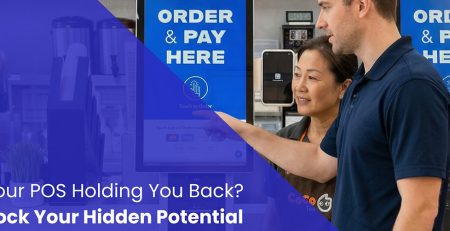
The Fix: Move routine order-taking to the guest with self-ordering kiosks or countertop tablets at high-traffic touchpoints.
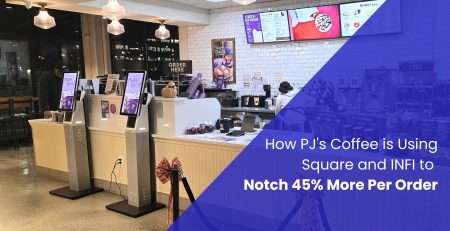
When guests order themselves, your team steps away from the register and onto the floor. Staff become greeters, food runners, and quality checks instead of data-entry clerks. Guests browse at their own pace and order more as a result. Operators who make this shift see average check sizes climb by 25% through visual upselling alone, while their front-of-house labor percentage drops.
Learn more about INFI’s Self-Ordering Kiosks
2. Standardize Prep, Par Levels, and Inventory Counts
The Friction: Inconsistent prep schedules and gut-feel ordering result in over-purchasing, unexpected 86’d items mid-service, and food costs that swing week to week without a clear cause.
The Fix: Tie daily prep sheets to historical sales data and set firm par levels for every ingredient based on actual inventory movement not estimates.
When the numbers drive prep and ordering, expensive proteins don’t sit unsold and produce doesn’t walk out in the trash. Prime costs stabilize, and your team stops re-litigating the same decisions every morning.
3. Integrate POS with Kitchen Display Systems
The Friction: Paper tickets get lost, misread, or ignored. Back-of-house communication breaks down, ticket times climb, and guests wait.
The Fix: Connect your POS directly to a Kitchen Display System (KDS) that routes orders in real time to the right prep stations the moment a transaction is completed.
A synchronized KDS removes the guesswork from the line. Color-coded alerts surface aging tickets before they become a problem. Back-of-house moves in sync with front-of-house without a single piece of paper changing hands.
4. Cross-Train Staff and Rebuild Station Roles
The Friction: Rigid role assignments leave staff idle when traffic shifts and leave other stations overwhelmed when it surges.
The Fix: Rebuild your labor framework around flexibility. Teach cashiers to cover expo. Train prep cooks to assist with takeout packing. Create overlap between roles that currently operate in silos.
Cross-training builds a flexible labor pool. When a rush hits, you pivot staff to the bottleneck. You hold ticket times without adding a single clock-hour to the schedule and your guests get consistent service regardless of volume.
5. Reduce Comps and Remakes with Order-Accuracy Tools
The Friction: Misheard modifications at the counter produce wrong orders. Wrong orders become remakes. Remakes drain food cost and kill kitchen morale.
The Fix: Use visual ordering tools that confirm the exact order and every modifier back to the guest before the transaction finalizes.
Catching errors at the point of choice stops the problem before it reaches the line. INFI’s kiosks do this through high resolution food imagery and customizable modifier sliders that walk guests through every ingredient and add-on selection before they hit pay. When the full order is visible on screen, wrong orders stop before they ever reach the kitchen. Remakes drop. Food cost holds. Your kitchen stops burning premium ingredients on non-revenue plates.
6. Schedule Smarter with POS Sales Data
The Friction: Scheduling based on gut feel leaves money on the table twice over, excess labor during slow afternoons and lost velocity during the rushes that matter most.
The Fix: Pull your historical POS data by hour and build labor schedules that match actual traffic patterns.
Aligning your schedule to real demand curves means you are not paying for empty floor hours or scrambling to cover a rush you should have seen coming. Labor percentage tightens. Service velocity holds through the peaks that matter.
7. Engineer Your Menu to Protect Margins
The Friction: A sprawling menu forces your kitchen to hold slow-moving inventory, complicates prep, and increases spoilage risk on every shelf.
The Fix: Run a matrix on your menu items by profitability and popularity. Remove dishes that score low on both.
A shorter menu means fewer unique ingredients to purchase, simpler prep sheets, and faster onboarding for new line cooks. Your kitchen focuses on the high-margin dishes it executes well, and back-of-house throughput goes up across the board.
8. Consolidate Online Ordering Into One Workflow
The Friction: Multiple third-party delivery tablets sitting on the front counter require staff to manually transcribe orders into the POS. That is double-entry work that slows everything down and introduces errors.
The Fix: Use an aggregator to channel all digital, mobile, and third-party orders directly into your primary POS workflow.
Online orders flow into the same kitchen queue as your in-house tickets. Staff stop managing tablets. The kitchen line handles one unified stream and works faster because of it.
Start where the numbers hurt most. Everything else builds from there.
If your labor cost percentage is climbing, start with Section 1. Automating the front counter shifts clock-hours from order-taking to production immediately.
If food cost variance is spiking, go to Section 7 first. Cutting low-velocity items reduces inventory overhead within days.
If the kitchen is falling behind on tickets, run Sections 3 and 8 together. Consolidating order feeds into a KDS stabilizes production and removes front-counter chaos.
Tighter operations start with better structure.
When you remove friction from ordering, handoff, and tracking, your team spends time on the work that actually shapes the guest experience. Ticket times drop, remakes shrink, and labor percentage moves in the right direction.
INFI partners with operators to put self-ordering and AI-powered upselling in place without leaving you to figure it out alone. Our team guides implementation from day one, and the results show up on the numbers: operators who launch with INFI see average check sizes increase 25%, and transaction volume follow. If you want to see where the leverage is in your specific operation, let’s talk.
How do you measure restaurant operational efficiency?
Operational efficiency is tracked through prime costs (labor plus cost of goods sold combined) and service velocity metrics like average ticket time and table turnover rate. A prime cost below 60% of total revenue is the standard benchmark for a healthy operation. If you can track those two numbers by week, you have an early warning system for every major margin problem.
Will automating food orders reduce customer service quality?
Shifting routine order entry to a digital touchpoint frees your staff from standing behind a cash register during the entire shift. That time gets redeployed to the floor, where staff can focus on hospitality, food running, and order accuracy. Most operators find guest satisfaction climbs after the change, with more staff attention landing where it matters most.
What is the fastest way to lower restaurant labor costs?
One of the fastest structural moves is introducing self-ordering at high-traffic points of guest contact. When guests place their own orders, you reduce the counter staff hours needed during peak rushes without slowing the order pipeline. That change alone can shift your labor percentage by a measurable amount rather quickly.
How does menu engineering improve back-of-house throughput?
Removing low-velocity, high-complexity items reduces the number of unique prep lines your kitchen has to manage simultaneously. A leaner menu means simpler prep sheets, lower inventory overhead, and faster execution on the dishes that actually sell. Your line cooks stop splitting focus and start building speed on a tighter, more profitable set of plates.
What role does POS integration play in restaurant efficiency?
Your POS is the central nervous system of the operation. When it connects directly to kitchen displays and inventory systems, orders are routed automatically, ticket times become trackable, and you stop losing information between the front counter and the line. A connected POS removes manual work at every handoff point and keeps information flowing from the front counter straight to the line.
INFI
We firmly believe that the internet should be available and accessible to anyone, and are committed to providing a website that is accessible to the widest possible audience, regardless of circumstance and ability.
To fulfill this, we aim to adhere as strictly as possible to the World Wide Web Consortium’s (W3C) Web Content Accessibility Guidelines 2.1 (WCAG 2.1) at the AA level. These guidelines explain how to make web content accessible to people with a wide array of disabilities. Complying with those guidelines helps us ensure that the website is accessible to all people: blind people, people with motor impairments, visual impairment, cognitive disabilities, and more.
This website utilizes various technologies that are meant to make it as accessible as possible at all times. We utilize an accessibility interface that allows persons with specific disabilities to adjust the website’s UI (user interface) and design it to their personal needs.
Additionally, the website utilizes an AI-based application that runs in the background and optimizes its accessibility level constantly. This application remediates the website’s HTML, adapts Its functionality and behavior for screen-readers used by the blind users, and for keyboard functions used by individuals with motor impairments.
If you’ve found a malfunction or have ideas for improvement, we’ll be happy to hear from you. You can reach out to the website’s operators by using the following email Marketing@INFI.us
Our website implements the ARIA attributes (Accessible Rich Internet Applications) technique, alongside various different behavioral changes, to ensure blind users visiting with screen-readers are able to read, comprehend, and enjoy the website’s functions. As soon as a user with a screen-reader enters your site, they immediately receive a prompt to enter the Screen-Reader Profile so they can browse and operate your site effectively. Here’s how our website covers some of the most important screen-reader requirements, alongside console screenshots of code examples:
Screen-reader optimization: we run a background process that learns the website’s components from top to bottom, to ensure ongoing compliance even when updating the website. In this process, we provide screen-readers with meaningful data using the ARIA set of attributes. For example, we provide accurate form labels; descriptions for actionable icons (social media icons, search icons, cart icons, etc.); validation guidance for form inputs; element roles such as buttons, menus, modal dialogues (popups), and others. Additionally, the background process scans all the website’s images and provides an accurate and meaningful image-object-recognition-based description as an ALT (alternate text) tag for images that are not described. It will also extract texts that are embedded within the image, using an OCR (optical character recognition) technology. To turn on screen-reader adjustments at any time, users need only to press the Alt+1 keyboard combination. Screen-reader users also get automatic announcements to turn the Screen-reader mode on as soon as they enter the website.
These adjustments are compatible with all popular screen readers, including JAWS and NVDA.
Keyboard navigation optimization: The background process also adjusts the website’s HTML, and adds various behaviors using JavaScript code to make the website operable by the keyboard. This includes the ability to navigate the website using the Tab and Shift+Tab keys, operate dropdowns with the arrow keys, close them with Esc, trigger buttons and links using the Enter key, navigate between radio and checkbox elements using the arrow keys, and fill them in with the Spacebar or Enter key.Additionally, keyboard users will find quick-navigation and content-skip menus, available at any time by clicking Alt+1, or as the first elements of the site while navigating with the keyboard. The background process also handles triggered popups by moving the keyboard focus towards them as soon as they appear, and not allow the focus drift outside it.
Users can also use shortcuts such as “M” (menus), “H” (headings), “F” (forms), “B” (buttons), and “G” (graphics) to jump to specific elements.
We aim to support the widest array of browsers and assistive technologies as possible, so our users can choose the best fitting tools for them, with as few limitations as possible. Therefore, we have worked very hard to be able to support all major systems that comprise over 95% of the user market share including Google Chrome, Mozilla Firefox, Apple Safari, Opera and Microsoft Edge, JAWS and NVDA (screen readers).
Despite our very best efforts to allow anybody to adjust the website to their needs. There may still be pages or sections that are not fully accessible, are in the process of becoming accessible, or are lacking an adequate technological solution to make them accessible. Still, we are continually improving our accessibility, adding, updating and improving its options and features, and developing and adopting new technologies. All this is meant to reach the optimal level of accessibility, following technological advancements. For any assistance, please reach out to Marketing@INFI.us
If you're unsure, please reach out to support@infi.us.

