Customer-Facing Displays: Turning the Checkout Screen Into an Upsell
Customer-facing displays are prime upsell real estate. Turn your restaurant's checkout screen into higher average order value with these tactics.
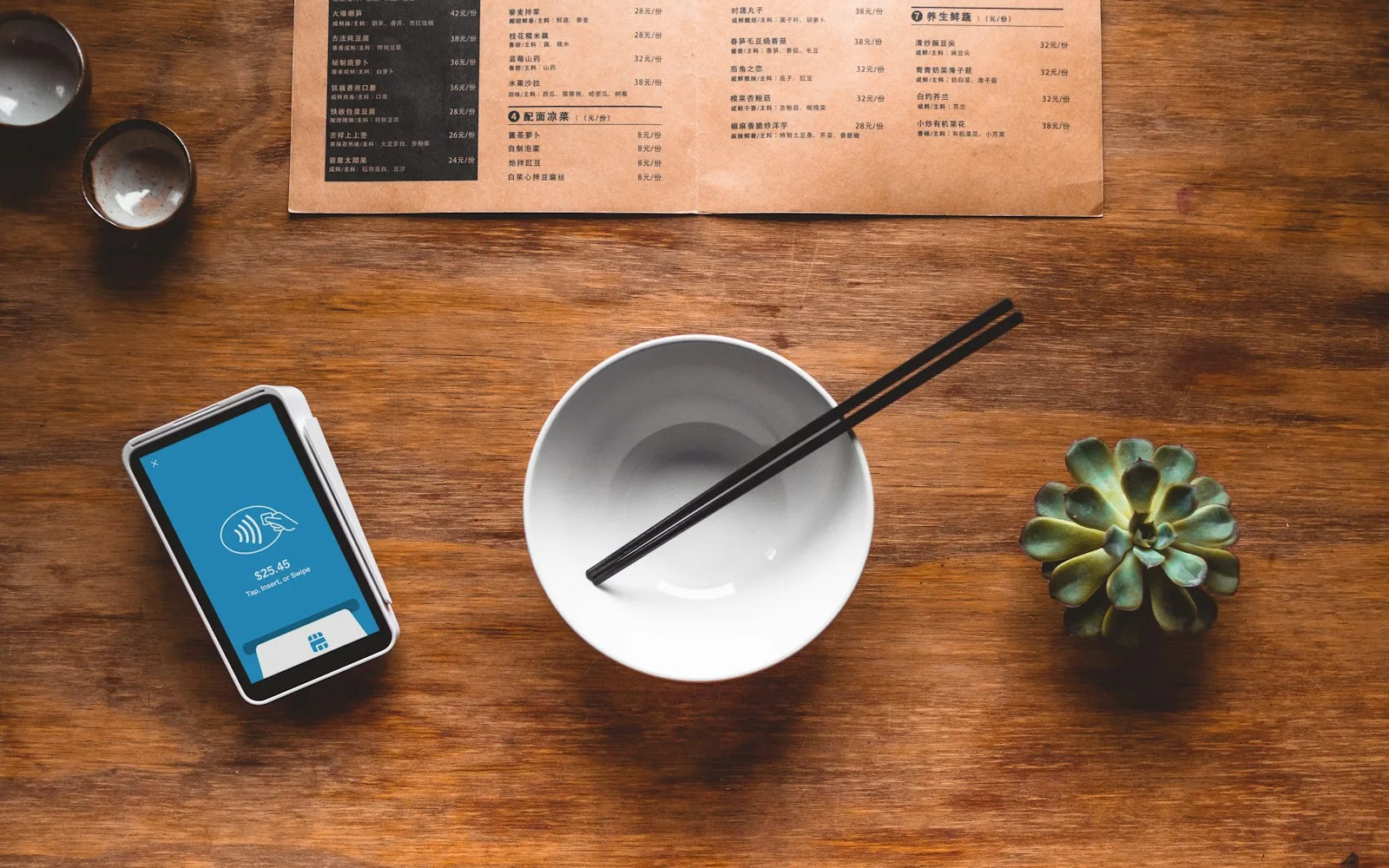
Walk up to almost any restaurant counter and you'll find a small screen turned toward you at checkout. Most of the time it does one job: show the running total so you can confirm the order is right. That's a fair use — but it's also the single most under-worked piece of glass in the building. The guest is already looking at it, wallet already out, at the exact second a well-timed suggestion actually lands.
This guide covers what a customer-facing display really is, why it's the best upsell surface most operators ignore, and how to turn that checkout screen into measurable average order value without slowing your line or annoying anyone.
What is a customer-facing display in a restaurant?
A customer-facing display (CDS) is the guest-side screen at the point of sale — the one that faces the customer rather than the cashier. At minimum it mirrors the order and total for transparency. On modern setups it also handles tip prompts, receipt choices, loyalty sign-ups, and — the part most restaurants skip — targeted offers.
It's easy to confuse the CDS with two neighbors. A self-ordering kiosk replaces the cashier entirely and the guest drives it. A KDS (kitchen display) lives on the line and shows tickets to cooks. The CDS sits between them: your staff still ring the order, but the guest sees a live, branded screen the whole time. That shared moment of attention is exactly what makes it valuable.
Why the checkout screen is prime upsell real estate
Upselling works when three things line up: the guest is paying attention, the offer is relevant, and the timing is natural. The checkout counter is the rare spot where all three are already true. The guest has decided to buy, they're facing the screen, and there's a two-to-ten-second pause while payment processes.
Compare that to a menu board across the room or a printed insert nobody reads. Those fight for attention. The CDS already has it. You're not interrupting the decision to buy — you're adding to a decision that's already made, which is the lowest-friction upsell there is.
The numbers back this up. Digital ordering surfaces that suggest add-ons at the right moment typically lift average order value by roughly 15–30%, largely because a screen never forgets to ask "want to add a cookie?" and never feels rushed doing it. A human cashier during a lunch rush forgets constantly.
What to actually put on the screen
The mistake is treating the CDS like a billboard and cramming it with everything. The screen should do one job per moment. Here's what earns its place:
- A live order mirror. Non-negotiable. Trust comes first — the guest confirms what they're paying for. Everything else is layered around it, never on top of it.
- One relevant add-on, not five. A drink with a sandwich, a side with an entrée, a second scoop. Tie the suggestion to what's already in the cart, not a generic "featured item."
- Combo and bundle nudges. "Make it a combo and save $2" converts because it frames the upsell as savings, not spending.
- Loyalty enrollment. The pause at payment is the best time to ask a guest to join. A single tap to sign up beats a printed sign every time.
- Tip and receipt prompts. Clear, honest, not manipulative — dark-pattern tip screens erode the trust the mirror just built.
- Brand and moment. Your logo, your colors, a seasonal item — the screen is a brand touchpoint, not a beige utility.
Notice what's missing: walls of text, autoplay video, and offers unrelated to the order. Relevance is the whole game. A boba shop suggesting a topping upgrade will out-convert the same shop pushing a gift card to a first-time guest.
How to add upsells without slowing the line
Operators resist counter-side upselling for one reason: they think it adds seconds to every transaction. Done right, it doesn't. The CDS suggestion appears during dead time — while the card reader is thinking — so the guest taps "yes" or ignores it without adding a step for your staff.
A few practical rules keep it clean:
- Automate the suggestion logic. Rules based on cart contents beat asking cashiers to remember scripts. The screen decides what to show.
- Cap it at one prompt. More than one add-on ask feels like a haggle. One clean offer respects the guest and still moves the number.
- Keep the tap target big and the copy short. This is a glance, not a read.
- Match it to your other screens. If your kiosks and CDS suggest the same combos, the guest experience stays consistent whichever way they order.
Measuring whether it works
Treat the CDS like any growth lever — measure attach rate and average order value before and after. Track how often the suggested add-on is accepted, and watch AOV week over week. If a prompt isn't converting, the offer is wrong or irrelevant, not the channel. Swap the suggestion and measure again.
When the offer and timing are right, the lift is real. Across INFI's guest-facing ordering surfaces, the gains stack up — PJ's Coffee grew average order value 45%, Juice Press added about 15% per order, and Oak View Group venues doubled basket size. Different concepts, same principle: a screen that asks at the right moment, every time, adds up fast.
Where the CDS fits in a connected setup
A customer-facing display earns the most when it isn't a standalone gadget. If it shares a menu, pricing, and loyalty program with the rest of your ordering — kiosk, counter, app, and web — one change updates everywhere and the guest sees a consistent brand at every touchpoint.
That's the case for running it on a single growth platform rather than a drawer of disconnected devices. The CDS becomes one more place where loyalty sign-ups happen and where your best-selling add-ons get surfaced automatically, all feeding the same view of what's actually lifting revenue.
How INFI fits
INFI is the restaurant growth platform — your POS runs the register, INFI runs your growth. Our DISPLAY product turns menu boards and customer-facing screens into upsell and loyalty surfaces, and it layers on top of the POS you already run (Square, Toast, Clover, Lightspeed, HungerRush) without replacing it. It's part of the same GROW stack trusted by 1,800+ restaurants and built by founder Lucas Liu, Ph.D., a former restaurant operator. If you want to see the checkout screen turned into an upsell for your own concept, book a demo and we'll walk it through with your menu.
See what INFI can do for your restaurant
Add self-ordering, online ordering, loyalty, and marketing on top of the POS you already run.
Book a Demo