
How to Choose Digital Menu Board Software for Your Restaurant
How to choose digital menu board software for your restaurant: the 8 things that matter, why POS sync beats everything, the red flags to avoid, and how INFI Display compares.
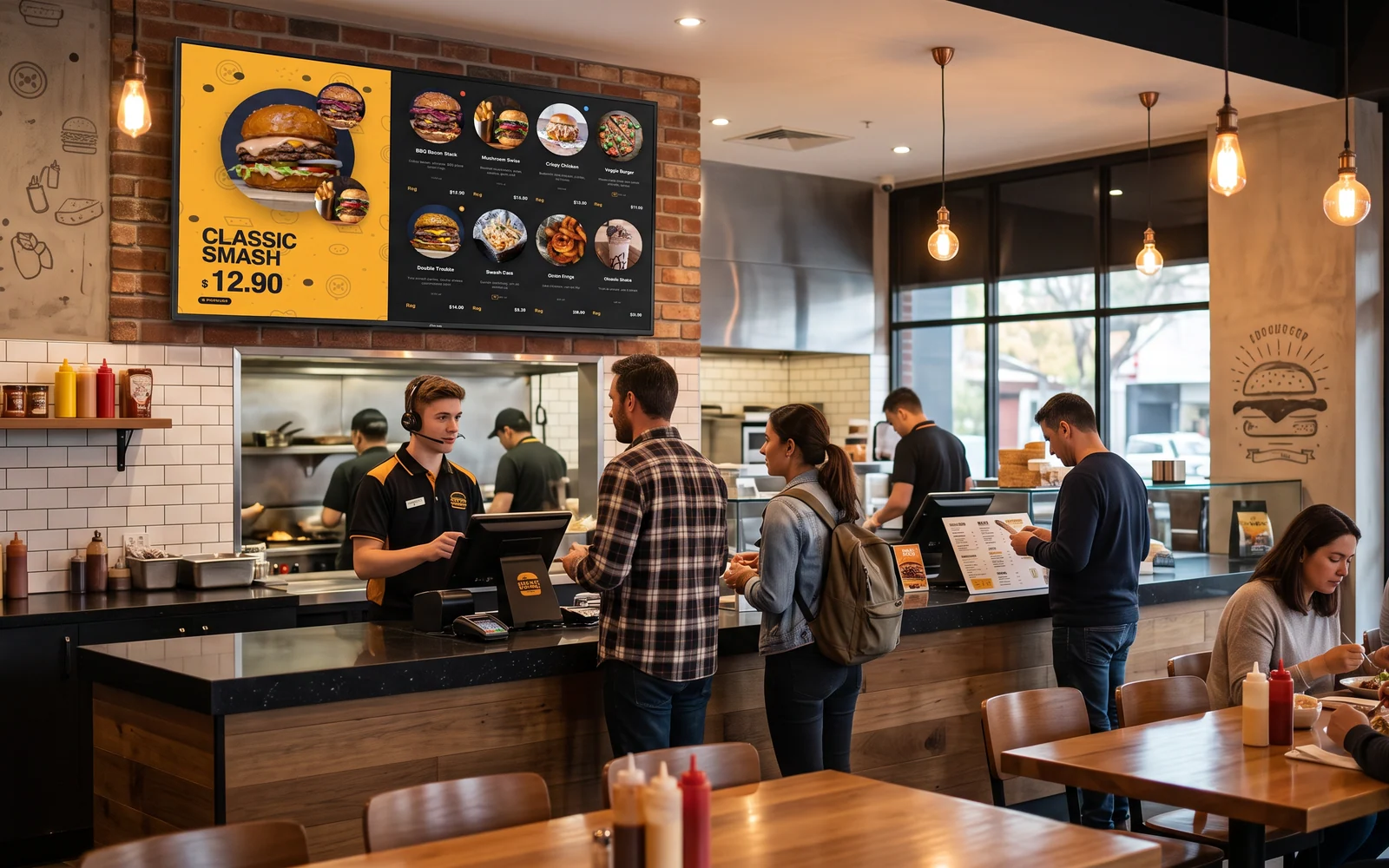
Digital menu board software is the part of a digital menu board setup that actually decides whether it saves you time or becomes another chore. The screens are a commodity; the software is what pulls your menu onto them, keeps prices right, hides the items you’re out of, and switches from breakfast to lunch without anyone touching it. Pick the wrong software and you’re back to typing prices into a design tool every time something changes.
This buyer’s guide covers what digital menu board software does, the eight things that actually matter when you compare options, the red flags that signal a painful setup, and how to judge any vendor — including where INFI Display fits.
The most important question isn’t screen resolution or templates — it’s whether the software pulls your menu straight from your POS. If prices, 86’d items, and daypart switches update on their own, the board is always right and runs itself. If you have to type the menu in twice, every other feature is just lipstick.
What digital menu board software actually does
A menu board is a screen; the software is the brain. Its real job is to take the menu you already maintain and keep it correct on every screen, with no busywork.
- Pull your menu — items, prices, photos, modifiers, combos — from your POS, so you enter it once.
- Render it to any screen — one board or a whole wall — in a layout that fits your space.
- Keep it current — price changes, new items, and sold-out/86 flow through automatically.
- Switch by time — breakfast, lunch, and late-night menus change on a schedule, not by hand.
- Look like you — your colors, logo, and photos, without a graphic designer.
- Stay compliant — show allergens and calories where you need them.
The 8 things to look for when choosing digital menu board software
Most comparisons get lost in screen specs. These are the criteria that decide whether the board stays accurate a year from now.
- 1. POS sync, not double entry. The menu should flow from the POS you already run, so a price change in one place shows on every screen. This is the line between software that saves time and software that adds a chore.
- 2. Real-time 86 / sold-out. When the kitchen runs out, the item should grey out or drop off the board automatically — no one orders what you can’t make.
- 3. Dayparting (time-based menus). Breakfast should become lunch on a schedule. If you’re swapping boards by hand at 11am, that’s a daily job your team will eventually skip.
- 4. Modifiers, combos, sizes, variations. The board should show the real menu — the upsells, combos, and sizes guests actually order — not a flattened list.
- 5. Brand match without a designer. Your colors, logo, and food photos should drop in through templates. If every change needs design software, the updates won’t happen.
- 6. Multi-screen management. Run a wall of screens as one board and manage them remotely — not by walking a USB stick to each TV.
- 7. Hardware flexibility. The best software runs on screens and players you can buy anywhere, so you’re not locked into one vendor’s proprietary hardware. For what the hardware and software actually run, see digital menu board cost for small restaurants.
- 8. One menu across every channel. The same menu on the board should power your kiosk and online ordering, so one change updates everywhere — and the board can upsell, too. Digital boards can lift attachment sales 15–25% when they prompt combos and pairings.
Why POS sync is the whole ballgame
Menu boards don’t get abandoned because of the hardware — they get abandoned because of the upkeep. Software that makes you type the menu into a separate design tool turns every price change, every new item, and every 86 into a second task someone has to remember during a rush. They don’t. So the board drifts: wrong prices, items you’re out of still listed, last season’s specials hanging around.
POS-synced software removes the upkeep entirely. You change the menu where you already change it, and the board catches up on its own. When you weigh options, put this criterion above every other one — it’s the single feature that determines whether your boards are still right six months in.
Red flags to avoid
- Manual menu entry — you type items and prices into the board software separately from your POS.
- No 86 sync — sold-out items stay on screen until someone remembers to pull them.
- Proprietary hardware lock-in — the software only runs on the vendor’s own expensive players.
- No dayparting — you switch menus by hand, every day.
- Per-screen pricing that balloons — each added screen costs far more; watch the model (the cost guide breaks it down).
Questions to ask any vendor before you buy
You can cut through a demo fast with seven questions. The answer you want is “yes” to the first six, and a clear, simple model on the last.
- Does it pull my menu from my POS, or do I enter it separately?
- When I 86 an item, how fast does it come off the board?
- Can menus switch by time of day on their own?
- Can I match my brand without hiring a designer?
- Does it run on standard screens, or only your hardware?
- Is the same menu shared with my kiosk and online ordering?
- How does the price change as I add screens — and what’s the install and setup fee?
How INFI Display measures up
INFI Display is built around the criterion that matters most: it pulls the menu you already keep in your POS and puts it on every screen, always current. Items, prices, photos, modifiers, combos, sizes, sold-out/86, time-based menus, best-sellers, allergens and calories all flow through automatically — no menu typing, no design tools, no new hardware.
- One menu, every screen, always current — it syncs from your POS, so a change shows everywhere at once.
- 86 and dayparting handled — out-of-stock items drop off and menus switch by time, on their own.
- Looks like you — your brand colors, logo, and photos through templates, no designer.
- A wall as one board — run multiple screens as a single board and manage them remotely.
- One menu across channels — the same menu powers your self-ordering kiosks and online ordering, and the board can upsell to lift attachment sales 15–25%.
- Runs on the POS you already use — INFI is a growth layer on top of Square, Toast, Clover, Lightspeed or HungerRush, not a replacement for your register.
Because it runs on standard screens, you can be live this week. See it on the INFI Display product page, and for budgeting, our digital menu board cost guide breaks down screens, players, software, and install.
Ask one question first: does it sync my menu from my POS automatically? If yes, check 86 sync, dayparting, brand match, multi-screen management, hardware flexibility, and one-menu-everywhere. If no, keep looking — everything else is cosmetic.
Choosing digital menu board software comes down to upkeep: the right software keeps your boards correct without anyone touching them, and turns the screens into another place to grow the check. Want to see your own menu on a board? Book a free INFI demo — or reach the team at 888-857-9831.
See what INFI can do for your restaurant
Add self-ordering, online ordering, loyalty, and marketing on top of the POS you already run.
Book a Demo