
Best Kiosk POS Systems for Coffee Shops
Best kiosk POS systems for coffee shops to streamline orders, reduce lines, and enhance the customer experience.

Even in a business as traditional and timeless as a coffee shop, the right technology can change how the counter runs. For cafes fighting long morning lines, thin margins, and tight staffing, a self-ordering kiosk is one of the highest-leverage upgrades to look at in 2026.
Staffing and labor management remain top concerns for coffee shop owners heading into 2026, and few tools ease that pressure as directly as a kiosk POS system — it keeps a single barista on the espresso machine instead of the register.
Whether you are planning to open a new coffee shop or want to boost the productivity of your existing one, the kiosk services we list below will help you greatly.
What is a Kiosk System?
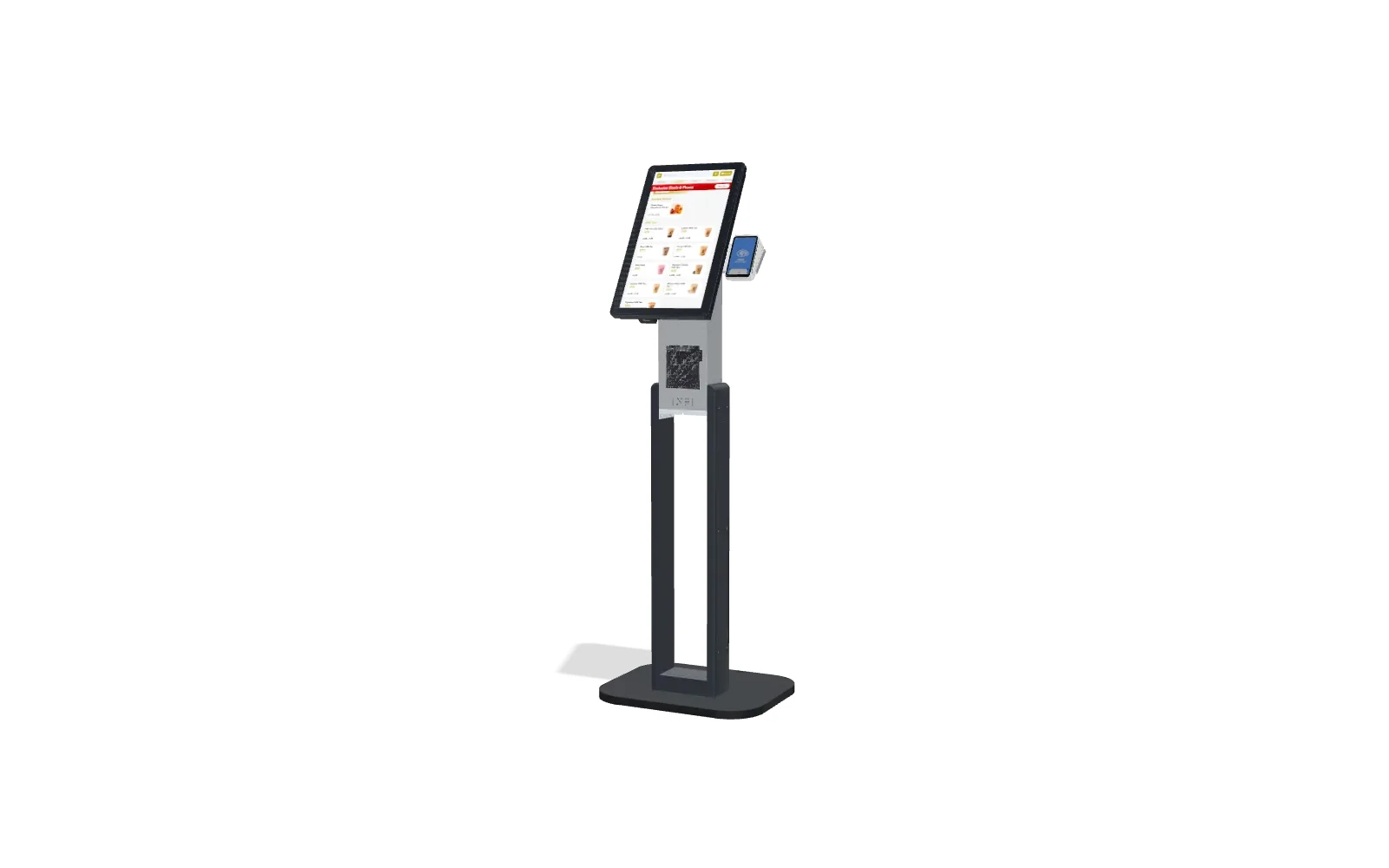
If this is your first time checking out kiosk services, the concept might still be vague. Put simply, a kiosk is a digital touchscreen in your store that lets customers place their own orders, which are then sent automatically to the production line.
While that is its primary appearance, a featureful kiosk can do a lot more. It can record sales statistics and customer preferences so you can make better decisions. The systems can also recommend trending drinks to your guests and run loyalty programs.
What to Look for in a Coffee Shop Kiosk
Coffee is not fast food. The buying patterns, the drink complexity, and the counter layout are all different, so the kiosk that fits a burger chain may not fit a cafe. Weigh these four factors first.
Throughput at the Morning Rush
Most coffee shops earn a large share of the day’s revenue in a two- to three-hour window. A kiosk turns the single line at one register into several parallel order points, so a customer who already wants a medium oat latte never waits behind an elaborate custom order. Look for a screen that loads the menu instantly, remembers favorite orders, and sends tickets straight to the bar.
Customization and Modifiers for Drinks
A latte is really a base plus half a dozen decisions: size, milk, shots, syrup, temperature, and foam. A good coffee kiosk makes those modifiers obvious and quick to tap, enforces the required ones, and reprices the drink in real time. Because the guest taps every choice themselves, the barista gets a clean ticket instead of a misheard order — which cuts remakes and waste.
Loyalty and Rewards Tie-In
The kiosk is the easiest place to grow a loyalty program, because enrolling takes one tap while the guest is already standing there. Returning customers earn and redeem points without slowing the line, and the screen can surface a reward or a seasonal drink at exactly the right moment. That consistent prompting is why self-ordering screens are reliable upsell engines — external industry data puts the lift in average order value at 20–30%, and INFI’s own coffee and restaurant merchants see kiosk average order value climb 15–30%.
Counter Space and Footprint
Cafe counters are already crowded with grinders, espresso machines, and pastry cases. Map where a kiosk goes — countertop, slim floor stand, or wall mount — and how customers queue to it without blocking the pickup area. Software that runs on a tablet you already own keeps the footprint small; don’t forget ADA clearance and reach ranges (more in the FAQ below).
Top Three Kiosks for Coffee Shops
Infi: Best for Upsell
Pros:
- You can find specific kiosks for your coffee shop.
- There are multiple sizing options. For instance, if your store has less space, you can get the INFI T2.
Cons:
- Being a newer company, round-the-clock customer support isn’t as robust.
Infi is one of the leading companies offering high-quality kiosks to its customers. Known as InfiKiosks, the service makes it easier for your guests to order their favorite coffee, in part because of how the software bundles combo packs of products. That shortens the time it takes to check out and place an order.
Installable within ten minutes, this kiosk system lets customers use most payment options, such as Apple Pay, Samsung Pay, Google Pay, or cards.
Clover: Good for Mobile Coffee Carts
Pros:
- Accommodating foot traffic, they offer kiosks that don’t take up much space.
- Its services come with a lower fee compared to most other kiosk companies.
Cons:
- The app isn’t compatible with some hardware.
While Clover offers one of the best POS systems for business, their kiosk services are run by Applova. Applova is an application that directly links the ordering interface to the kitchen display and Clover POS. So ordering, producing, and checkout all benefit from the kiosk.
This app increases ticket sizes. It also frees your staff to do other tasks. Not to mention, the app runs smoothly and fast.
Square: Best for Businesses with Lower Budgets
Pros:
- Allows you to use the software on multiple devices at once.
- It only requires the processing fees and not any monthly payments.
Cons:
- Only stays available during specific hours.
The kiosk service from Square comes without any monthly fees required. The only thing you need to provide is the processing fee that it includes. The 2.6% processing fee plus $0.10 for every transaction makes it one of the most affordable options on this list.
Since you can use the app on almost all device types, you won’t need to worry about a lack of space in your coffee shop.
How INFI Fits: Kiosk Software on Top of Your POS
Here is the part most coffee shop owners worry about: do I have to rip out the POS I already run the shop on? With INFI, no. INFI is a restaurant growth platform, and its self-ordering kiosk software runs on top of your existing POS — Square, Toast, Clover, Lightspeed, or HungerRush — rather than replacing it. Your menu, pricing, and reporting stay where they are; the kiosk simply becomes another ordering channel feeding the same system.
That matters for two reasons. First, there is no painful migration: you keep the hardware, payment processing, and back office your staff already know. Second, the growth layer is where the return comes from. INFI’s AI upsell suggests the right add-on at the right moment, and across 78+ merchants that nudge raised the upsell attach rate from 7.18% to 8.62%. Combined with the register labor it frees during the rush, that is how a kiosk pays for itself.
Want to see it running on a menu like yours? Book a quick demo and we’ll walk you through the kiosk flow end to end.
FAQ
Can Non-Food Related Businesses Use a Kiosk?
Any business that involves producing things and selling them in a store can use a digital kiosk. Kiosks can also be used as digital menus or as digital advertising displays.
Should I Consider ADA Compliance When Setting up a Kiosk?
You should take ADA factors into account when installing a kiosk system in your store. It should offer wheelchair accessibility and be easy to see, read, hear, and interact with.
Can Self-Ordering Kiosks Integrate with POS Systems?
Not only the ones we mentioned, but many popular kiosk services can link to a POS system.
Conclusion
A kiosk system is a highly useful service your business needs, and it can also save on labor costs. Most successful restaurants and coffee shops are already using the features of a kiosk — a signal of a growing trend of people preferring to order on machines over interacting with human cashiers.
When setting up a kiosk, make sure it lets you update the menu easily and offers a range of services to ease your workload. Kiosks that integrate with your POS can also record sales details and flag the trending drinks in your coffee shop.
Ready to purchase a POS for your coffee shop? Check out our guide on the cost of POS systems and how to generate ROI for your POS purchase.
Having trouble running your restaurant? Check out our guide on potential restaurant blogs that can help you.
See what INFI can do for your restaurant
Add self-ordering, online ordering, loyalty, and marketing on top of the POS you already run.
Book a Demo